Sleek overlay
A borderless, dark-transparent window designed to stay out of the way over your game.
A lightweight desktop auto-clicking tool for repetitive tasks, with an opacity slider, resizable overlay, and ultra-fast click timing.
Download freeA borderless, dark-transparent window designed to stay out of the way over your game.
Choose left click, right click, or a specific keyboard key such as E.
Start and stop with a configurable hotkey, defaulting to F6.
0.1.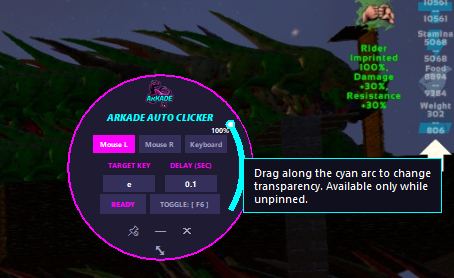
Download the current release and configure it around the way you work.
No SafeMode license key or account required.
Join the Discord for help.
Current release: v2026.08.07.5